How to Set Up a Google Ads Search Campaign
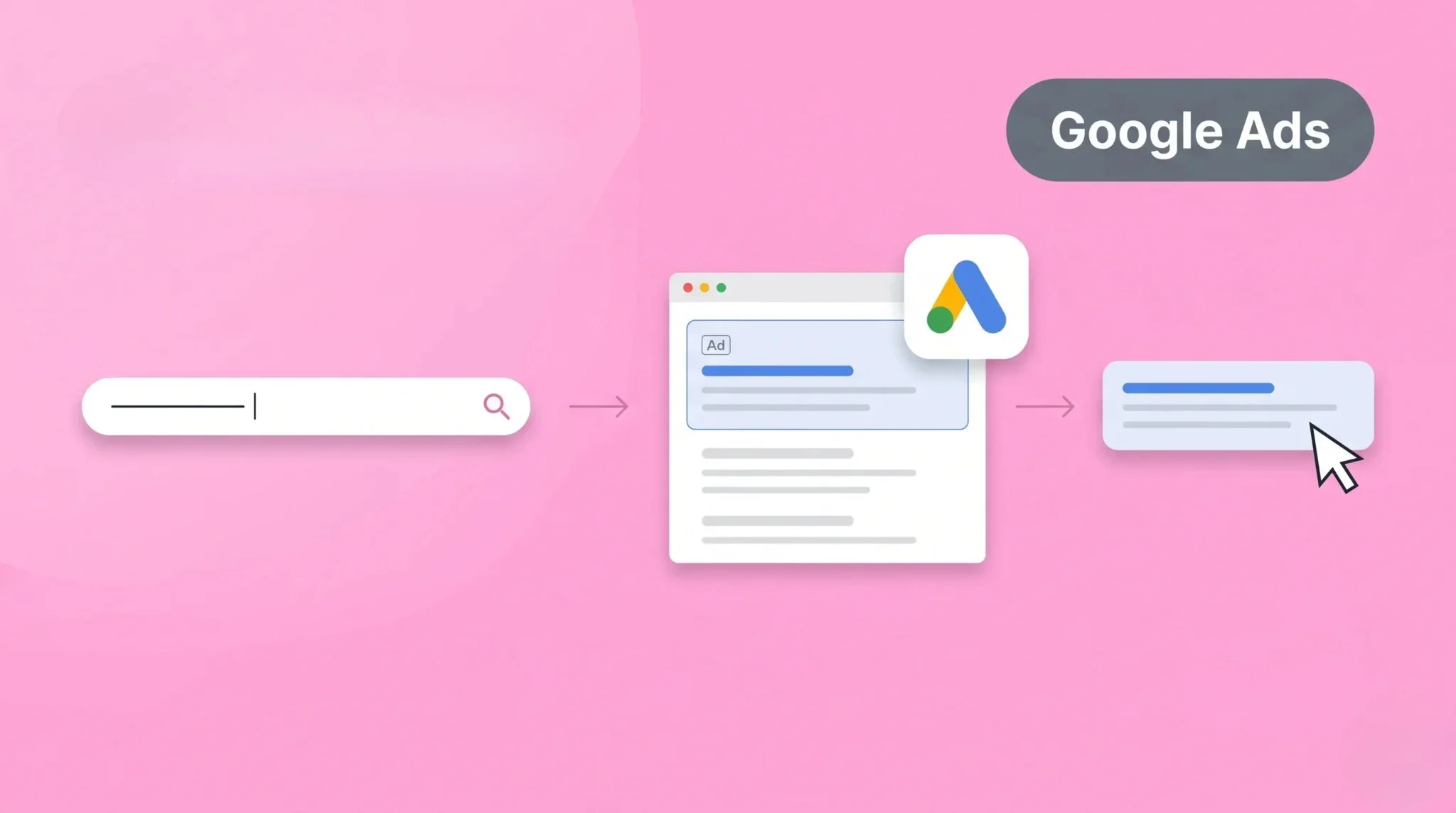
Many beginners find it difficult to set up a campaign in Google Ads. They are unsure about choosing the right settings, keywords, and budget. This confusion often leads to poor results and wasted money. Without proper setup, campaigns may not perform well.
A Google Ads search campaign helps you reach users who are actively searching for your products or services. It shows your ads in search results based on keywords. This increases visibility and brings targeted traffic. In this guide, you will learn how to set up a search campaign step by step.
What Is a Google Ads Search Campaign
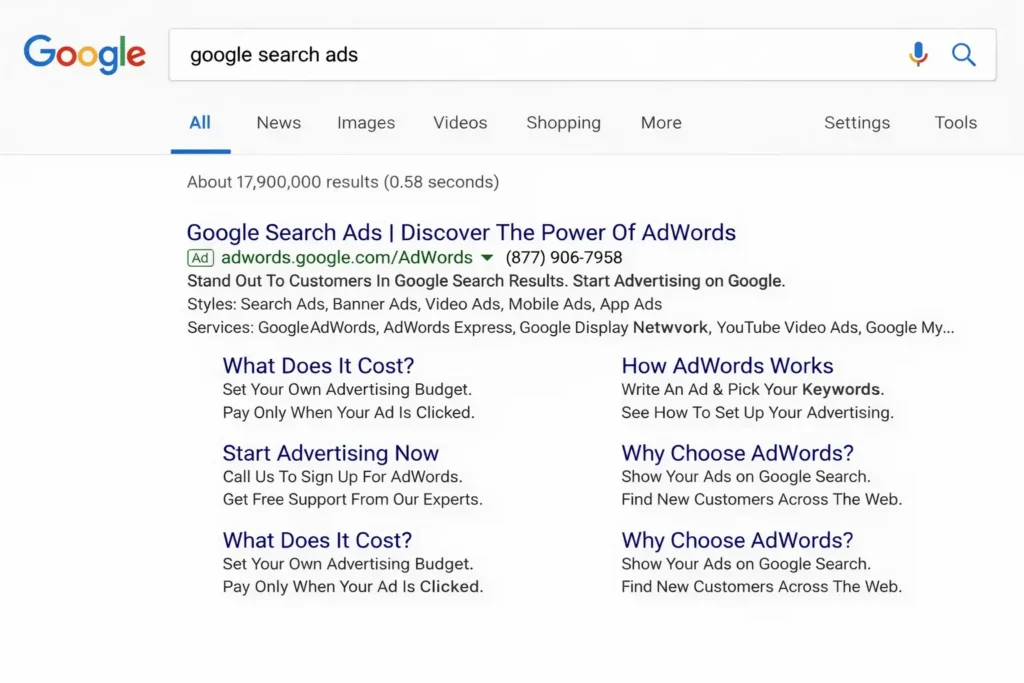
A Google Ads search campaign is a type of advertising where your ads appear on search engine results. These ads show when users search for specific keywords related to your business. This helps you reach people who are already interested in your product or service. It is one of the most effective forms of online advertising.
Search campaigns work on a keyword-based system. You select keywords, and Google shows your ads when users search for those terms. You only pay when someone clicks on your ad. This makes it a cost-effective way to drive traffic and generate leads.
Why Use Google Ads Search Campaigns
Google Ads search campaigns help you reach users with high intent. These users are actively searching for products or services. This increases the chances of clicks and conversions. It brings targeted traffic to your website.
Search campaigns also provide fast results. Unlike SEO, you do not need to wait for rankings. Your ads can appear immediately after launch. This helps you get quick visibility and leads.
You can control your budget and targeting easily. You decide how much to spend and who to target. This makes search campaigns flexible and effective for businesses, especially when tracking performance in privacy-focused environments using cookieless tracking.
Requirements Before Setup
Before creating a campaign in Google Ads, make sure you have the following:
These requirements help you set up your campaign smoothly and improve performance.
How to Set Up a Google Ads Search Campaign
Creating a search campaign requires proper planning. If you follow the right steps, you can target the right audience and avoid wasting your budget. A structured setup also improves your chances of getting conversions.
Step 1: Set Up Your Google Ads Account
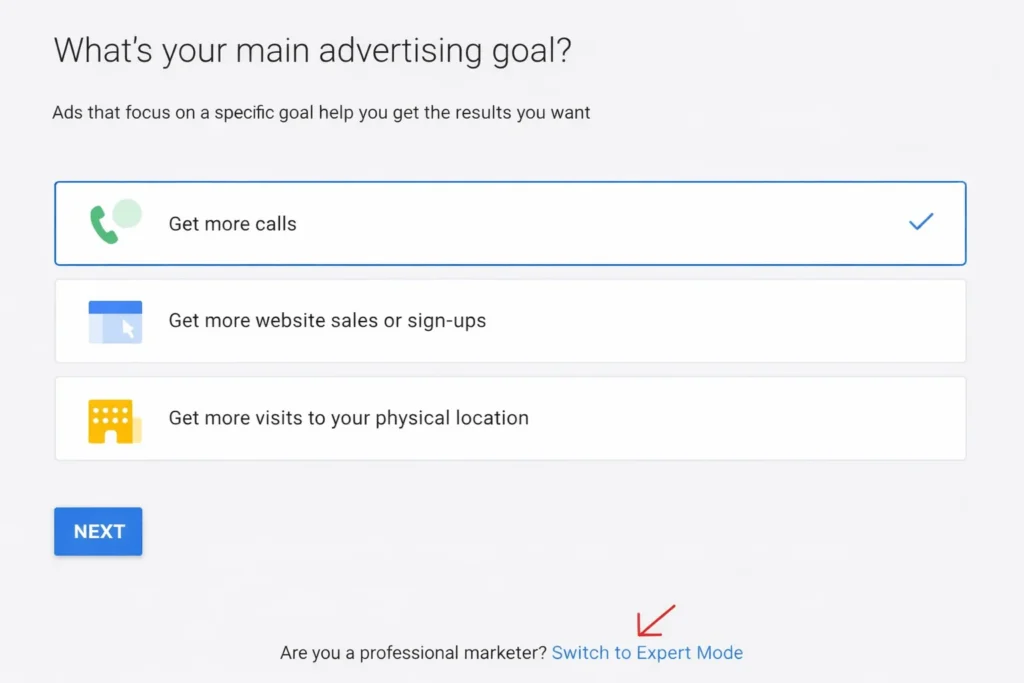
Start by signing in to Google Ads using your Gmail account. During setup, switch to Expert Mode instead of using the default setup. This gives you full control over your campaign settings and avoids automated options.
Step 2: Select Your Campaign Objective
Choose what you want to achieve with your ads. Options include sales, leads, or website traffic. If your goal is business growth, selecting leads or sales is usually the best option.
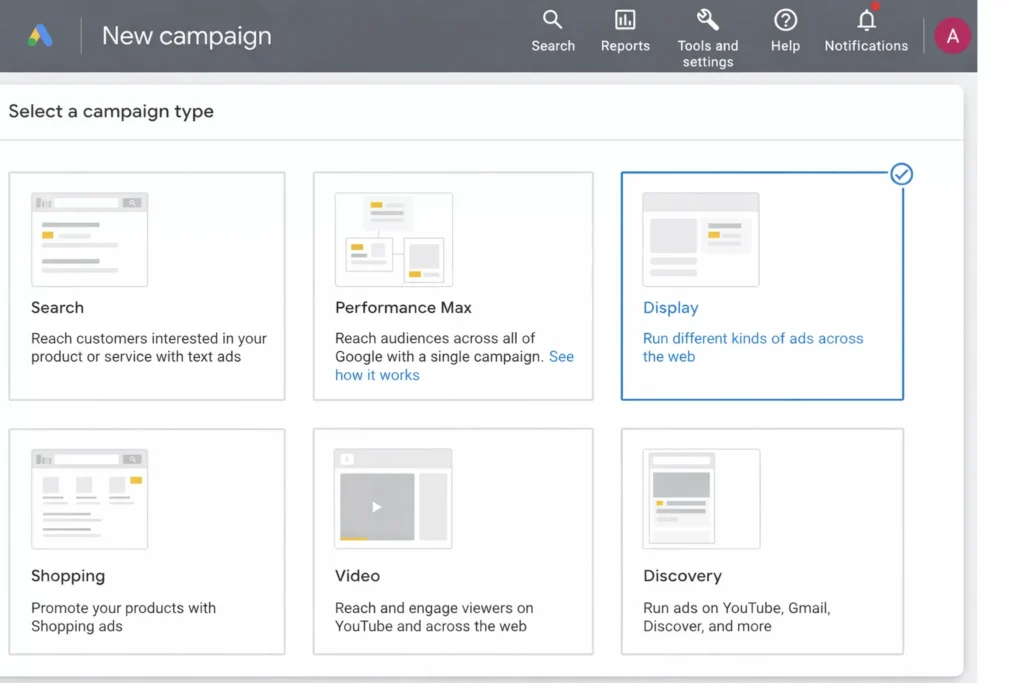
Step 3: Choose Search Campaign
Click on Create New Campaign and select Search as the campaign type. This allows your ads to appear on Google search results when users enter relevant queries.
Step 4: Configure Campaign Settings
Set important details like:
Start with a controlled budget and adjust later based on results.
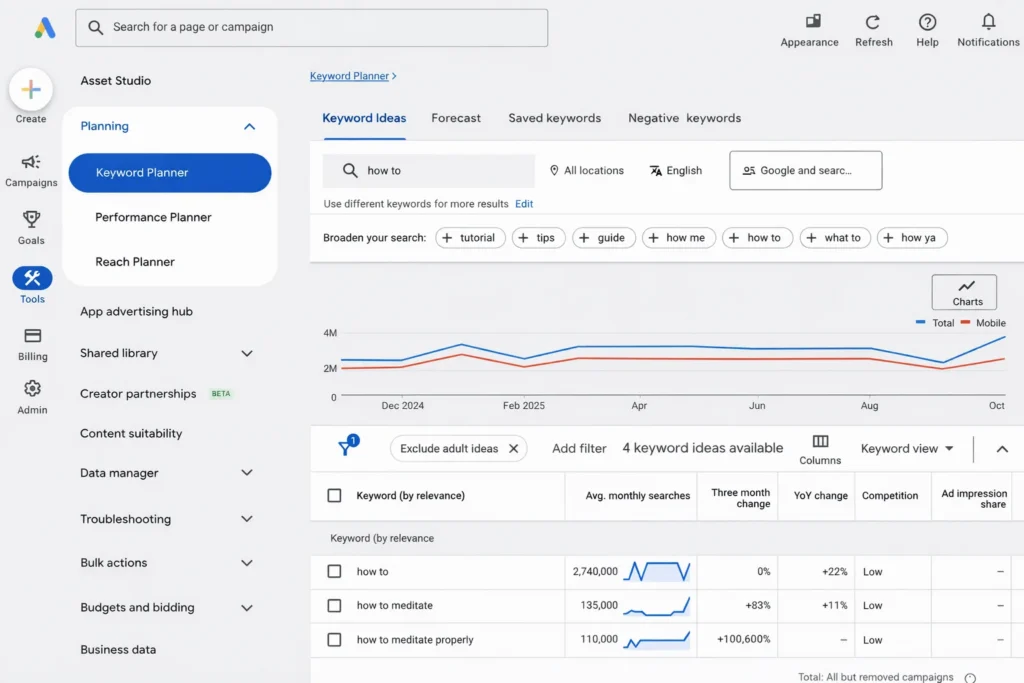
Step 5: Find the Right Keywords
Do proper keyword research before adding keywords. Focus on terms that show buying intent. Avoid general or informational keywords if your goal is conversions.
Step 6: Organize Ad Groups
Divide your campaign into smaller ad groups. Each group should focus on a specific topic or product. This helps improve ad relevance and performance.
Step 7: Use Correct Match Types
Choose keyword match types carefully:
Avoid relying too much on broad match in the beginning.
Step 8: Create Effective Ads
Write ads that are clear and relevant. Include your main keyword in the headline. Highlight benefits and use a strong call to action to attract clicks.
Step 9: Set Budget and Bidding Strategy
Choose a bidding strategy based on your goal. Beginners can start with manual CPC or maximize clicks. Monitor performance and adjust accordingly.
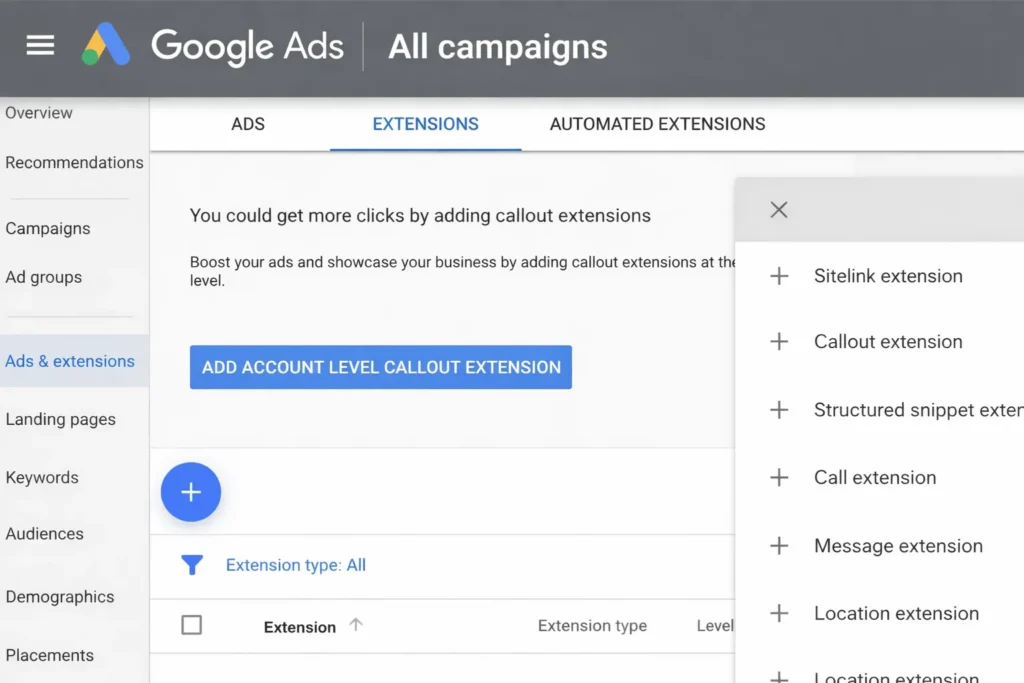
Step 10: Add Extensions
Enhance your ads with extensions like:
These make your ads more visible and increase click rates.
Step 11: Enable Conversion Tracking
Set up tracking for important actions like form submissions or purchases. This helps you measure performance and improve campaigns. You can also use a professional Google Ads tracking service for an accurate setup.
Step 12: Launch Your Campaign
Review all settings carefully before publishing. Once everything looks correct, launch your campaign and monitor its performance.
Best Practices for Search Campaigns
Using the right strategy in Google Ads helps you get better results. A well-optimized campaign improves performance and reduces wasted spend. Following best practices ensures long-term success.
Common Mistakes to Avoid
Many beginners make mistakes while setting up campaigns in Google Ads. These errors can reduce performance and waste your budget quickly. Most of these issues come from poor setup or a lack of optimization. Avoiding them will help you run more effective campaigns.
Using Broad Keywords Only
Relying only on broad keywords can bring irrelevant traffic to your ads. This increases clicks but not conversions. Always use a mix of broad, phrase, and exact match keywords. This helps you target the right audience more accurately.
Ignoring Negative Keywords
Not adding negative keywords allows your ads to show for irrelevant searches. This wastes your budget and lowers performance. Regularly review search terms and add negatives to filter unwanted traffic.
Poor Ad Copy
Weak or unclear ad copy reduces your click-through rate. Users may ignore your ads if they are not relevant or engaging. Always write clear headlines, highlight benefits, and include a strong call to action.
Not Tracking Conversions
Without conversion tracking, you cannot measure results. Always set up tracking before running campaigns. If you need help, you can use our Google Ads tracking service to properly set up and monitor conversions.
Setting the Wrong Budget
Setting a very low budget limits your reach, while a very high budget can waste money quickly. Start with a controlled budget and monitor performance. Adjust your budget based on results and campaign goals.
Frequently Asked Questions
Conclusion
Setting up a Google Ads search campaign helps you reach users with high intent. It allows you to target the right audience and drive traffic quickly. With the right setup, you can improve visibility and increase conversions.
Follow the step-by-step process and apply best practices. Avoid common mistakes and track your performance regularly. Keep optimizing your campaigns for better results. This approach helps you get the most out of your Google Ads campaigns.