Microsoft Clarity vs Google Analytics (Key Differences Explained)
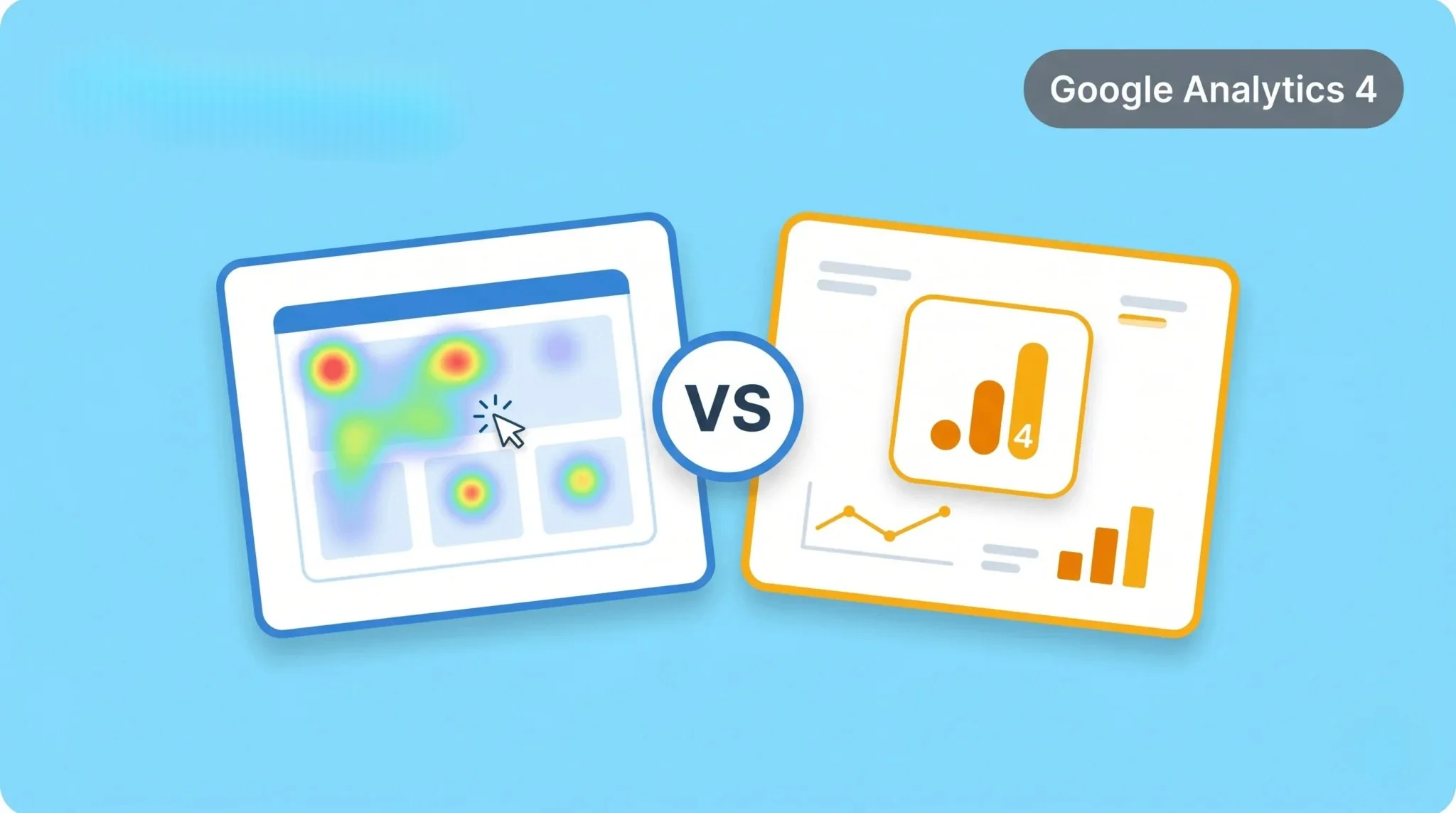
Many users get confused between Microsoft Clarity and Google Analytics. Both tools help you understand website performance, but they focus on different types of data. This makes it difficult to choose the right one for your needs. Without understanding the difference, you may miss important insights.
Microsoft Clarity focuses on user behavior through heatmaps and session recordings. Google Analytics focuses on traffic, events, and performance data. Both tools are powerful but serve different purposes. In this guide, you will learn the key differences and how to use them together effectively.
What Is Microsoft Clarity
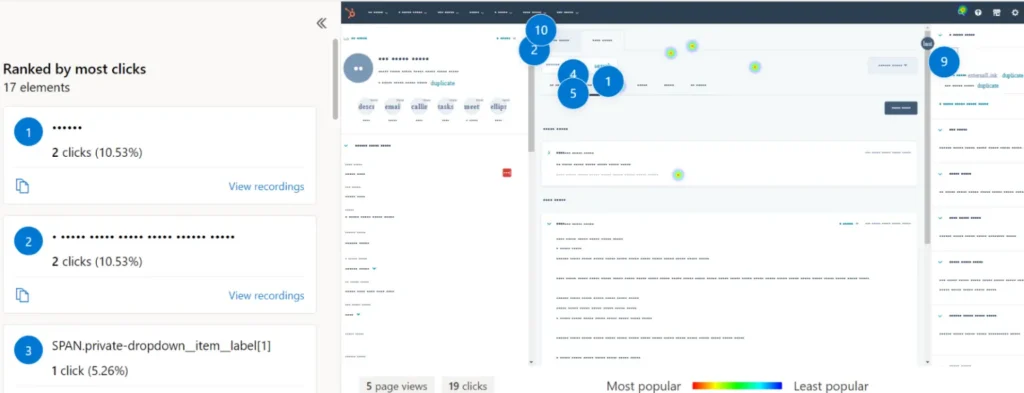
Microsoft Clarity is a free tool that helps you understand how users interact with your website. It shows real user behavior through visual data. You can see where users click, scroll, and spend time. This helps you identify usability issues.
Clarity provides features like heatmaps and session recordings. Heatmaps show which areas of your page get the most attention. Session recordings let you watch how users navigate your site. This helps you improve user experience.
It focuses mainly on behavior analysis. You can use it to find problems and optimize your website design. This makes it useful for UX improvement.
What Is Google Analytics
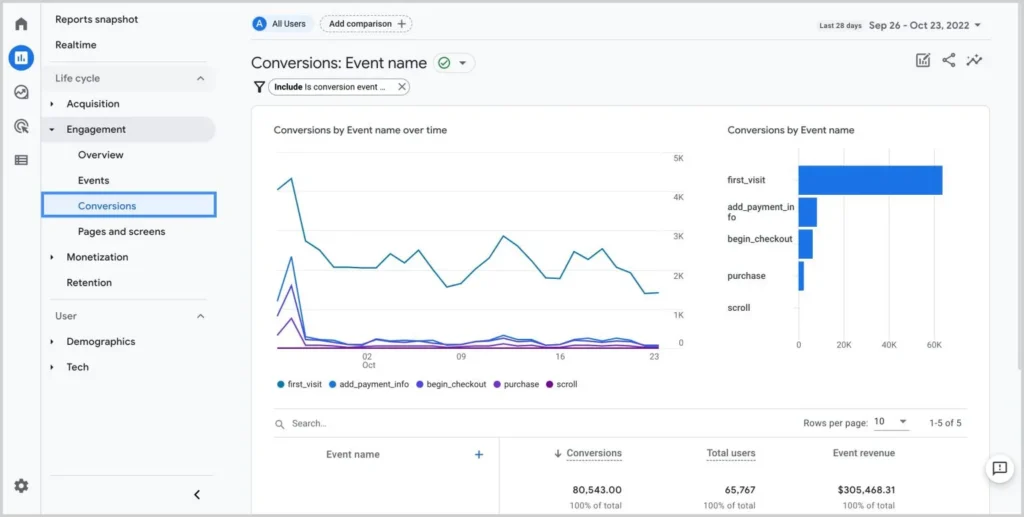
Google Analytics is a tool used to track website traffic and user activity. It shows how users find your site and what they do after visiting. You can analyze page views, sessions, and conversions. This helps you understand overall performance.
It provides detailed reports on traffic sources and user behavior. You can see data from search, social, and direct visits. This helps you measure marketing effectiveness.
Google Analytics focuses on data and performance metrics. It helps you track goals and improve your strategy, and to measure these results accurately, setting up Google Analytics conversion tracking is essential. This makes it essential for analytics and reporting.
Microsoft Clarity vs Google Analytics – Key Differences
Both Microsoft Clarity and Google Analytics provide valuable insights, but they focus on different areas. Understanding these differences helps you choose the right tool. It also helps you use both tools more effectively.
Data Type
Clarity shows visual behavior data like clicks and scrolls. Google Analytics shows numerical data like sessions and conversions. This means Clarity is visual, while Analytics is data-driven.
Interface and Dashboard
Clarity has a simple and easy-to-use interface. Google Analytics has a more detailed and complex dashboard. Analytics provides deeper reports, while Clarity focuses on simplicity.
Filters and Segmentation
Clarity uses basic filters and segments to analyze sessions. Google Analytics offers advanced segmentation and reporting options. This allows deeper analysis in Analytics.
Events Tracking
Clarity tracks user actions automatically through recordings. Google Analytics tracks events like clicks and conversions. Analytics gives more structured event tracking.
Cost and Pricing
Microsoft Clarity is completely free. Google Analytics also has a free version, but advanced features may require paid tools. Both are accessible for beginners.
Integrations
Google Analytics integrates with many tools, such as ads and search platforms. Clarity has limited integrations but focuses on behavior tracking. Analytics is stronger for marketing integration.
Sampling and Data Accuracy
Clarity does not use data sampling. Google Analytics may use sampling in some reports. This can affect large data analysis.
AI and Insights
Clarity provides basic insights based on user behavior. Google Analytics offers advanced insights and predictions. This helps in deeper analysis and forecasting.
When to Use Microsoft Clarity
Use Microsoft Clarity when you want to understand how users interact with your website visually. It helps you see real user behavior through heatmaps and session recordings. This makes it easier to identify where users click and where they face issues. You can quickly spot usability problems.
Clarity is useful for improving user experience and design. You can analyze scroll behavior and interaction patterns, which also helps you understand how these interactions influence conversions when using GA4 attribution models. This helps you optimize layouts and content placement. It is best for UX analysis and behavior insights.
When to Use Google Analytics
Use Google Analytics when you want to analyze website performance and traffic data. It helps you understand where users come from and how they interact with your site. You can track sessions in Google Analytics 4, page views, and conversions. This gives you a clear picture of performance.
Google Analytics is useful for marketing and growth analysis. You can measure campaign results and traffic sources. It helps you identify which channels bring the best results. This makes it ideal for data-driven decisions.
Can You Use Microsoft Clarity and Google Analytics Together
Yes, you can use both tools together for better insights. Each tool provides different types of data. Clarity shows how users behave visually, while Google Analytics shows performance data. This combination gives you a complete view of your website.
You can use Google Analytics to find problem areas. Then use Clarity to understand why users behave that way. This helps you identify issues and fix them effectively.
Using both tools together improves analysis and decision-making. It helps you optimize user experience and performance at the same time.
Which Tool Is Better?
There isn’t a single winner between Microsoft Clarity and Google Analytics. They solve different problems. If you’re trying to pick just one, you’ll end up missing half the picture.
Choose Microsoft Clarity when your goal is to understand why users behave a certain way. Choose Google Analytics when you need to know what is happening and how much (traffic, conversions, sources).
The smarter approach is to use both together. Analytics tells you what is happening, and Clarity shows you why.
Common Mistakes to Avoid
Many users misuse Microsoft Clarity and Google Analytics by relying on only one tool. This leads to incomplete insights. You need to use both tools correctly for better analysis.
Using Only One Tool
Relying on only Clarity or only Analytics limits your understanding. Always combine both for full insights.
Ignoring Visual Data
Some users focus only on numbers and ignore behavior data. This can hide usability issues on your site.
Not Setting Up Proper Tracking
Incorrect setup can lead to missing or inaccurate data. Always verify your tracking configuration.
Misinterpreting Data
Understanding metrics without context can lead to wrong conclusions. Always analyze data carefully.
Not Taking Action
Collecting data without making improvements is a common mistake. Use insights to optimize your website.
Conclusion
Microsoft Clarity and Google Analytics are both powerful tools with different purposes. Clarity helps you understand user behavior visually, while Google Analytics provides detailed performance data. Together, they give you a complete picture of your website.
Use both tools to improve user experience and performance. Analyze data from both platforms to make better decisions. Avoid common mistakes and use insights effectively. This approach helps you optimize your website successfully.