Google Analytics 4 Attribution Models Explained (Complete Guide)
Many users struggle to understand conversions in Google Analytics 4. They see results but do not know which channel drives those conversions. This creates confusion and leads to poor marketing decisions. Without clear attribution, you cannot measure the real value of your traffic sources.
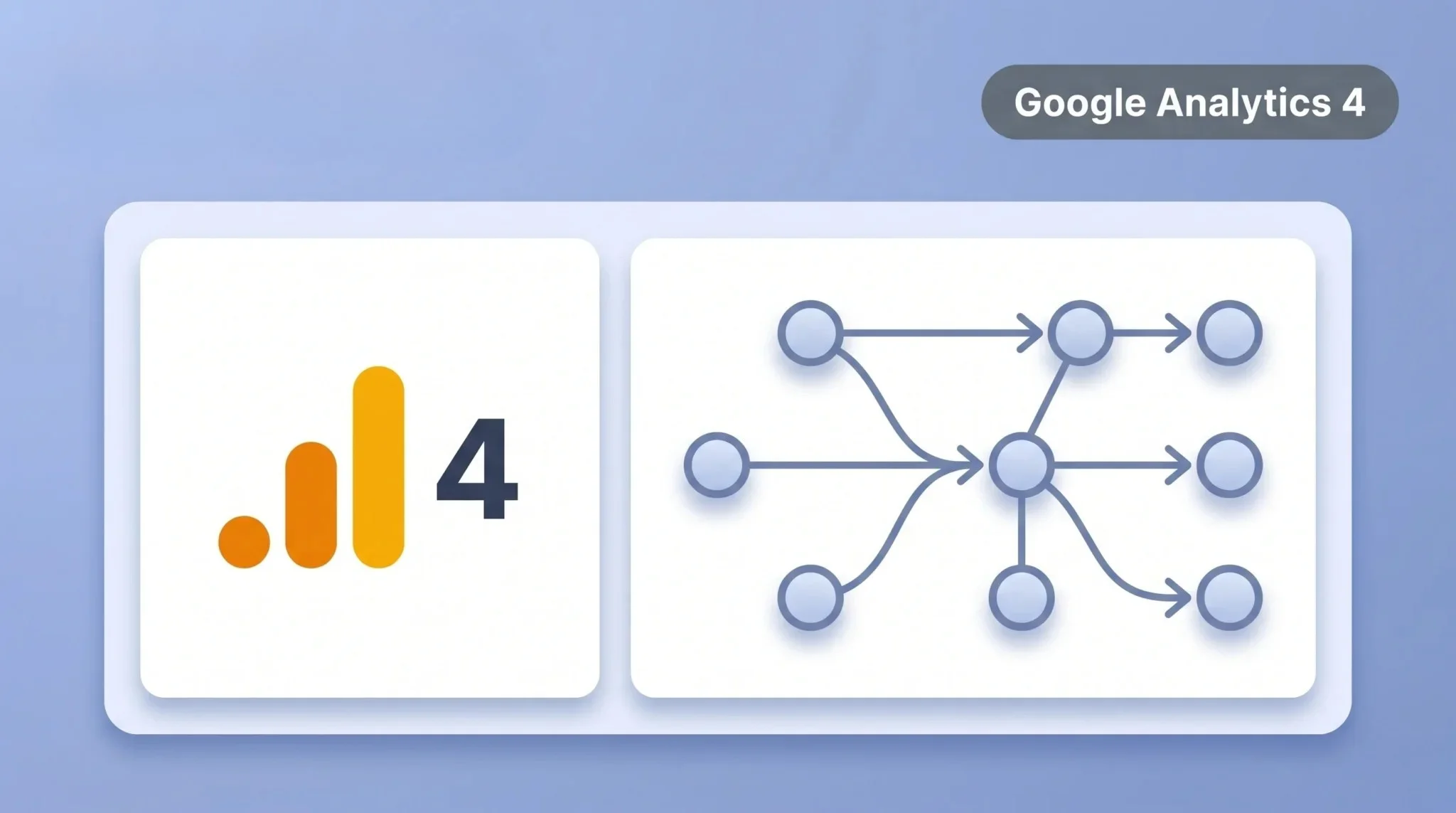
GA4 solves this problem with attribution models. These models assign credit to different touchpoints in the user journey. They help you understand how each channel contributes to conversions. In this guide, you will learn how attribution models work and how to use them effectively.
What Are Attribution Models in Google Analytics 4
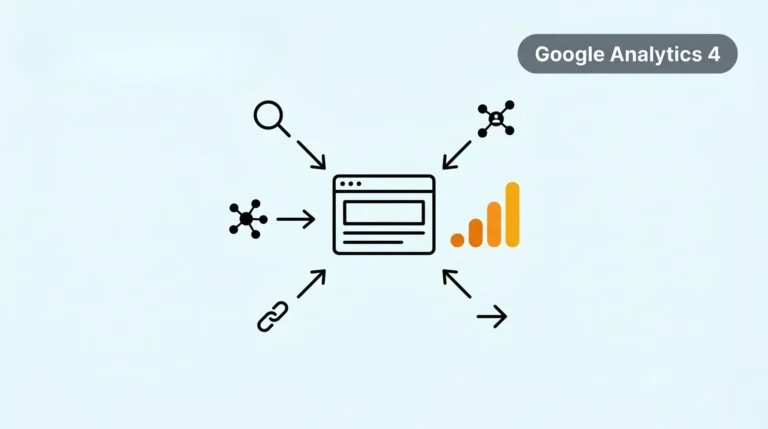
Attribution models decide how credit is assigned to different marketing channels. When a user interacts with multiple touchpoints, GA4 uses these models to distribute conversion value. This helps you understand which channels influence the final result. A user may visit your site through social media, then return through search, and finally convert through direct traffic.
Attribution models track this journey and assign credit based on specific rules. Each model uses a different method to calculate the contribution. These models help you see the full customer journey instead of focusing on one channel. This gives you better insights into how your marketing works, especially when you analyze supporting metrics such as GA4 bounce rate. You can then make smarter decisions based on real data.
Why Attribution Models Are Important
Attribution models help you understand how users interact with different marketing channels. Google Analytics 4 shows multiple touchpoints before a conversion happens. Without attribution, you only see the final action and ignore earlier interactions. This gives you an incomplete view of your marketing performance.
These models help you make better decisions based on real data. You can identify which channels create awareness and which ones drive conversions. This allows you to invest your budget in the right places. It also helps you improve campaigns that are underperforming.
Types of Attribution Models in Google Analytics 4
GA4 offers different attribution models to assign credit across the user journey. Each model uses a unique method to distribute conversion value. Understanding these models helps you choose the right one for your strategy.
Data-Driven Attribution (Default)
This is the default model in GA4. It uses machine learning to assign credit based on user behavior. It analyzes real data and gives more credit to impactful touchpoints.
Last Click Attribution
This model gives full credit to the last interaction before conversion. It ignores earlier touchpoints in the journey. It is simple but does not show the full picture.
First Click Attribution
This model gives all credit to the first interaction. It highlights which channel brings users to your site. It does not consider later interactions.
Linear Attribution
This model distributes credit equally across all touchpoints. Every interaction gets the same value. It provides a balanced view of the journey.
Time Decay Attribution
This model gives more credit to interactions closer to the conversion. Earlier touchpoints get less credit. It focuses on recent actions that influence results.
How to Change Attribution Model in Google Analytics 4
You can change the attribution model in GA4 to analyze conversions in different ways. This helps you understand how each channel contributes to your results. Follow these steps to update your attribution settings.
Step-by-Step Process
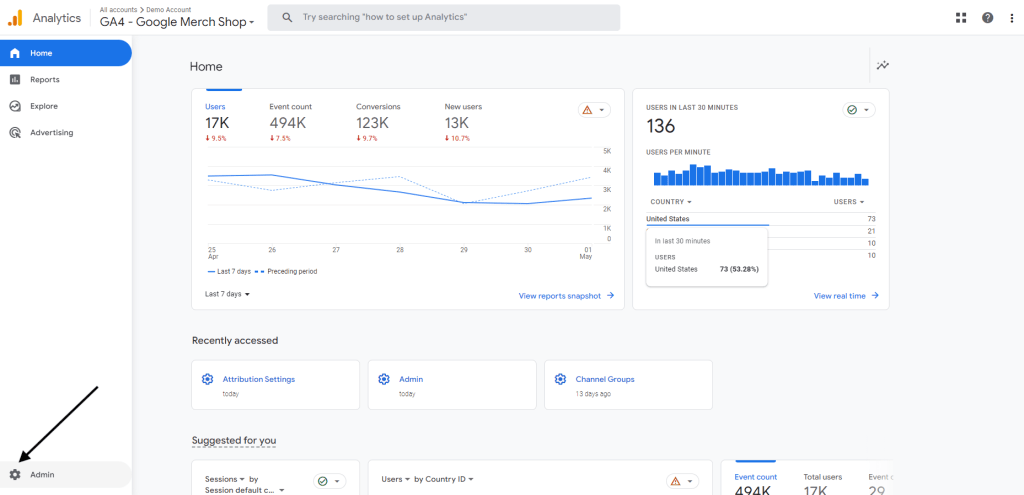
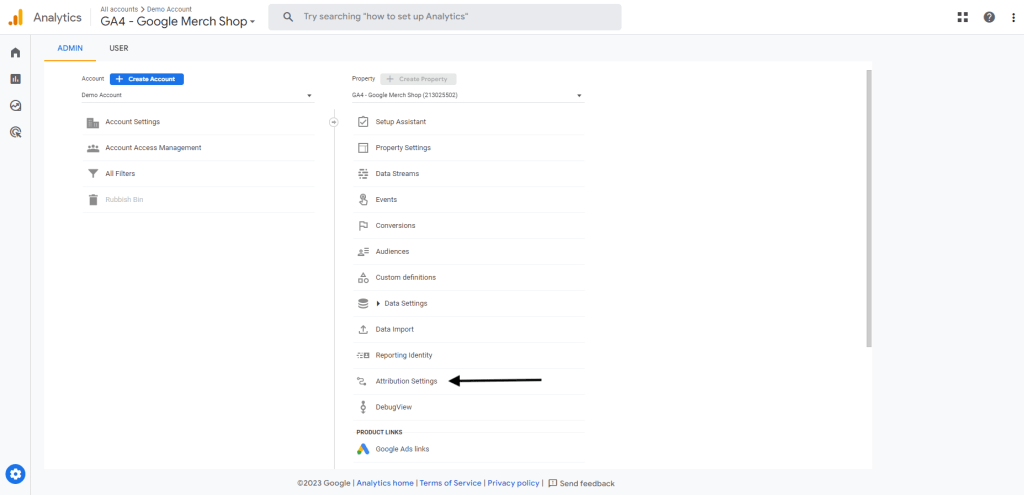
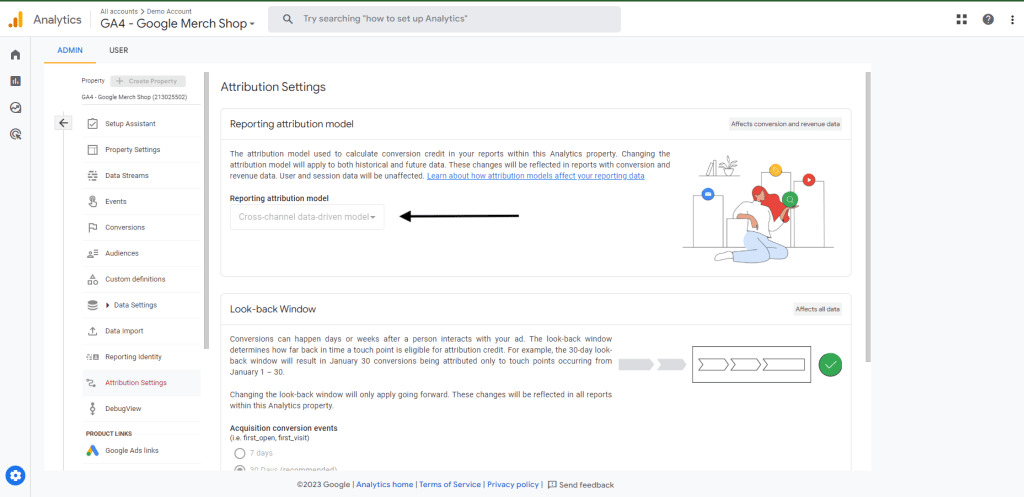
After you change the model, GA4 updates how it assigns conversion credit. You may see different results across channels. Keep in mind that some models, like data-driven attribution, need enough data to work properly. If your traffic is low, use simpler models like last click or first click.
How to Analyze Attribution Reports in Google Analytics 4
GA4 provides attribution reports to help you compare channel performance. These reports show how different touchpoints contribute to conversions. You can use them to understand which channels drive results. To access these reports, go to Advertising → Attribution → Model comparison. This section lets you compare different attribution models side by side. You can see how credit changes across channels.
Focus on key metrics like conversions and revenue. Compare how each channel performs under different models. This helps you identify important touchpoints in the user journey. Use these insights to improve your strategy. Shift budget to high-performing channels and optimize weaker ones. This helps you make better marketing decisions.
Which Attribution Model Should You Use?
The best attribution model depends on your goals and data. Google Analytics 4 offers different models for different use cases. You need to choose one that matches your marketing strategy, especially when tracking campaigns using UTM parameters across multiple touchpoints. If you want the most accurate results, use data-driven attribution. It uses real data to assign credit across touchpoints. This model works best when you have enough traffic and conversions.
If your traffic is low, use simpler models like last click or first click. These models are easy to understand and useful for basic analysis. They help you track key entry and conversion points. You can also compare multiple models to get deeper insights. This helps you understand the full customer journey. Use the model that gives you clear and actionable data.
Common Mistakes to Avoid
Many users misunderstand attribution in Google Analytics 4. These mistakes lead to wrong insights and poor decisions. You need to avoid them to get accurate results.
Here are common mistakes:
Avoid these mistakes to improve your analysis and make better marketing decisions.
Conclusion
Attribution models in Google Analytics 4 help you understand how conversions happen. They show how different channels contribute to the user journey. This gives you a clear view of your marketing performance. It also helps you make better decisions based on real data.
Choose the right model based on your goals and data. Compare different models to get deeper insights. Focus on channels that drive results and improve weak areas. This approach helps you optimize your strategy and increase conversions.