UTM Parameters in Google Analytics 4 (Complete Guide)
Many users struggle to track campaign performance in Google Analytics 4. They get traffic from different sources but cannot identify which campaign or link drives results. This makes it hard to measure performance and optimize marketing efforts. Without clear tracking, you may lose valuable insights.
UTM parameters help solve this problem by adding tracking data to your URLs. They allow you to identify traffic sources, campaigns, and user behavior. This gives you a clear view of what works and what does not. In this guide, you will learn how to use UTM parameters step by step.
What Are UTM Parameters in Google Analytics 4
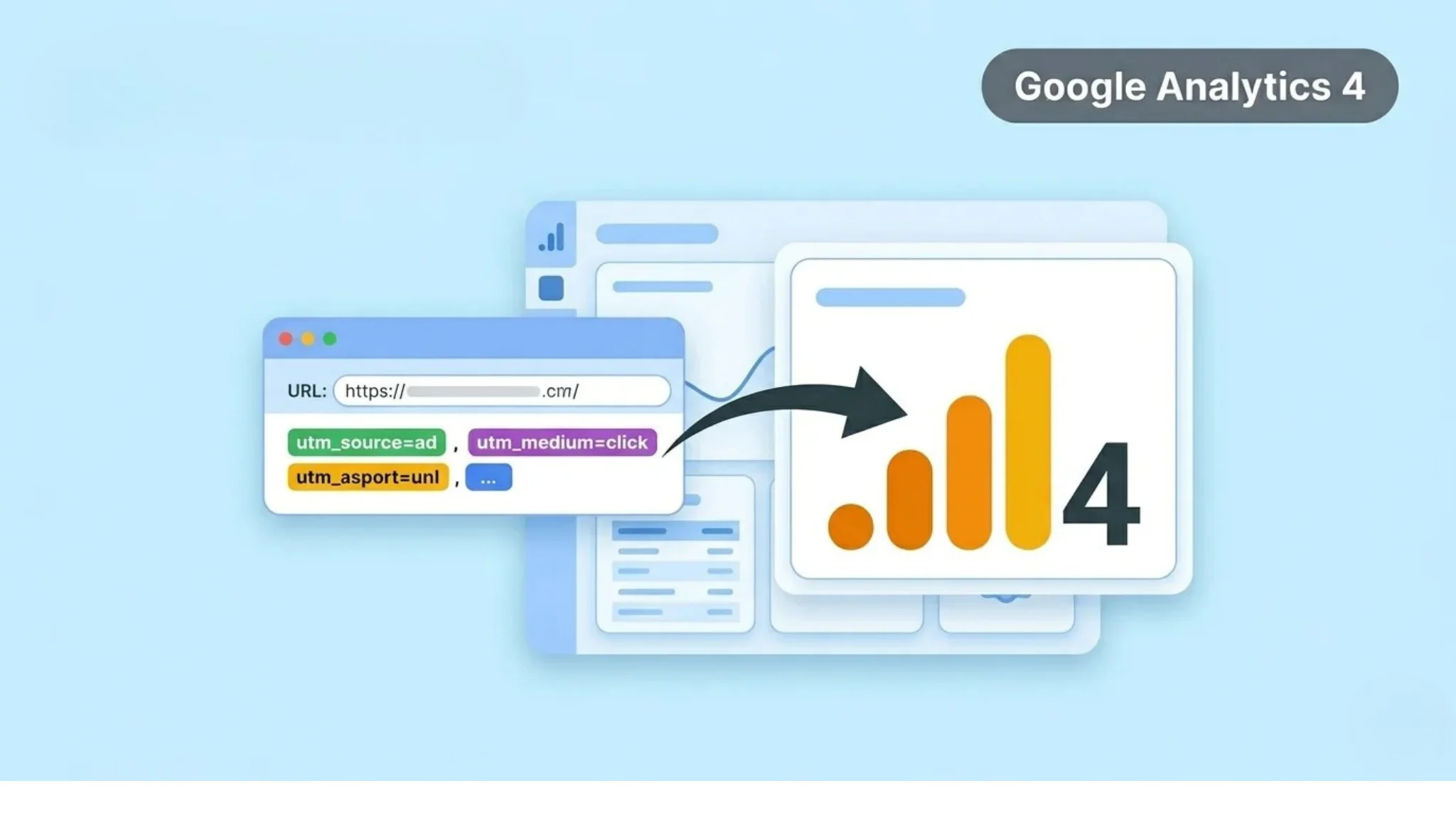
UTM parameters are tags added to a URL to track traffic sources. They send extra information to GA4 when users click your link. This helps you identify where your traffic comes from and which campaign drives results. These parameters work by attaching key details to your links, and using a UTM tracking service helps ensure this data is captured accurately across all campaigns.
When a user clicks the link, GA4 records the data automatically. You can then see this data in your reports. This makes campaign tracking more accurate. UTM parameters are mainly used in marketing campaigns. You can track social media, email, or paid ads. This helps you analyze performance and improve your strategy.
Why UTM Parameters Are Important
UTM parameters help you track campaigns accurately in Google Analytics 4. They show exactly where your traffic comes from and which campaign drives results. This removes guesswork and gives you clear insights. You can easily identify which links perform best.
Without UTMs, GA4 may group traffic incorrectly. You may not know which post, ad, or email generated clicks. This makes it hard to measure performance and improve campaigns. Using UTMs helps you make better decisions and focus on high-performing strategies.
Types of UTM Parameters
UTM parameters include different tags that help you track campaign data in Google Analytics 4. Each parameter provides specific information about your traffic. Using them correctly helps you understand how users reach your site. This makes your campaign tracking more accurate.
utm_source
This parameter shows the exact source of your traffic. It tells you which platform or website sends users to your site, such as Facebook, Google, or a newsletter. This helps you identify where your audience comes from. You can compare different sources to find top performers.
utm_medium
This defines the type of traffic channel. It tells you how the traffic reached your site, such as social, email, cpc, or referral. This helps you group your traffic into categories. You can analyze which channels perform best.
utm_campaign
This parameter tracks the name of your campaign. It helps you measure specific marketing efforts like product launches or promotions. You can use clear naming to track campaigns easily. This helps you compare performance across campaigns.
utm_term (Optional)
This parameter is mainly used for paid campaigns. It tracks keywords used in ads or search campaigns. This helps you understand which keywords drive traffic. You can optimize your campaigns based on keyword performance.
utm_content (Optional)
This parameter helps you track different versions of a link. It is useful when you run multiple ads or test variations. You can compare which version gets more clicks. This helps you improve your campaign strategy.
How to Create UTM Parameters
You can create UTM parameters easily for your campaigns. These parameters are added to your URLs to track traffic in Google Analytics 4. You can use online tools or create them manually. This process helps you generate trackable links.
Follow these steps:
After creating the link, use it in your campaigns. GA4 will automatically track the data when users click it. This helps you analyze campaign performance clearly.
How to Use UTM Links in Campaigns
You can use UTM links in different marketing campaigns to track performance in Google Analytics 4. These links help you identify which platform and campaign drives traffic. This makes your tracking more accurate and useful. You can add UTM links to your social media posts. This helps you track traffic from platforms like Facebook, Instagram, or LinkedIn.
You can also use them in email campaigns to measure clicks and engagement. UTM links are also useful for paid ads and promotions. You can track different campaigns and compare results easily. This helps you understand which strategy works best and improve your marketing efforts.
How to Track UTM Data in Google Analytics 4
After using UTM links, you can track their performance in GA4 reports. This helps you see which campaigns and sources drive traffic. You can analyze this data to improve your strategy, especially when reviewing performance from paid campaigns connected through Google Ads and GA4.
To view UTM data, go to Reports → Acquisition → Traffic Acquisition. In the table, check the Session source/medium or the Session campaign. These dimensions show your UTM parameters.
You can also customize reports for deeper analysis. Compare different campaigns and traffic sources. This helps you identify high-performing campaigns and optimize your marketing efforts.
Best Practices for UTM Parameters
Using UTM parameters correctly helps you get accurate data in Google Analytics 4. Small mistakes in naming or setup can break your tracking. You need a clear and consistent approach.
Follow these best practices:
These practices help you keep your data clean and easy to analyze. They also improve your campaign tracking accuracy.
Common Mistakes to Avoid
Many users make errors while using UTM parameters in Google Analytics 4. These mistakes can break tracking or create messy data. You need to use UTMs carefully for accurate results.
Inconsistent Naming
Using different formats like Facebook and Facebook creates duplicate data. Always use consistent and lowercase naming.
Using UTMs on Internal Links
Adding UTMs to internal links breaks your session tracking. It can overwrite original source data.
Incorrect Parameter Names
Misspelling parameters like utm_source or utm_medium stops tracking. Always use correct parameter names.
Poor Campaign Naming
Using long or unclear campaign names makes analysis difficult. Keep names simple and descriptive.
Not Testing Links
Publishing UTM links without testing can cause errors. Always check your links before using them.
Conclusion
UTM parameters help you track campaigns clearly in Google Analytics 4. They allow you to identify traffic sources, campaigns, and user behavior. This makes your data more accurate and useful. It also helps you measure performance effectively.
Use UTM parameters consistently and follow best practices. Avoid common mistakes and test your links before using them. Focus on clear naming and proper setup. This approach helps you improve tracking and make better marketing decisions.