GA4 User Engagement Explained (What It Is & How to Improve It)

Many users find it hard to understand engagement in Google Analytics 4. They see metrics like engagement rate and time, but do not know what they mean. This creates confusion when analyzing content performance and user behavior. Without a clear understanding, it becomes difficult to improve results.
GA4 focuses on how users interact with your website, not just visits. It tracks actions like clicks, scrolls, and time spent on pages. This helps you measure real user interest and content value. In this guide, you will learn what user engagement means and how to improve it effectively.
What Is User Engagement in Google Analytics 4
User engagement shows how users interact with your website or app. It measures actions like time spent, clicks, scrolls, and page views. This helps you understand whether users find your content useful. Higher engagement means users are interested and active.
GA4 defines engagement based on engaged sessions. A session counts as engaged if it lasts more than 10 seconds, has a conversion, or includes multiple page views. To understand how these metrics work in detail, you can explore Google Analytics 4. If these conditions are not met, the session is not considered engaged.
This approach gives a clearer view of user behavior. It focuses on meaningful interactions instead of just visits. This helps you analyze content performance more accurately.
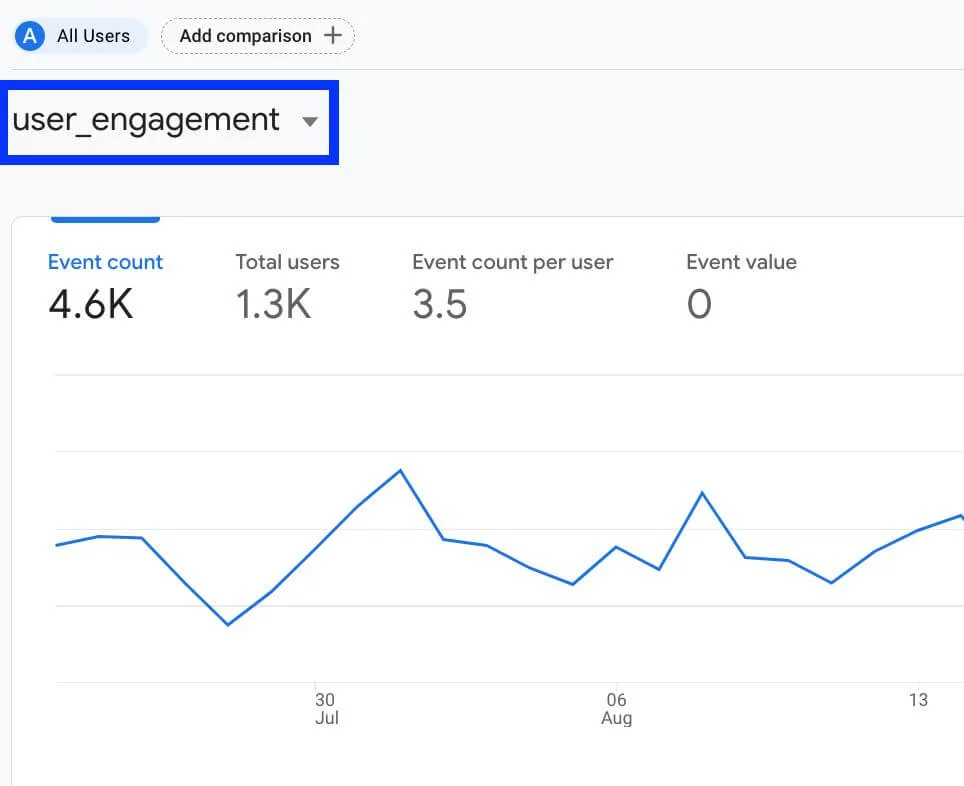
Key Engagement Metrics in Google Analytics 4
GA4 provides several metrics to measure user engagement. These metrics help you understand how users interact with your content. Each metric gives a different insight into behavior and performance.
Engagement Rate
Engagement rate shows the percentage of engaged sessions. It tells you how many users interact with your site. A higher rate means better user interest.
Engaged Sessions
This metric counts sessions that meet engagement criteria. These include longer sessions, conversions, or multiple page views. It helps you measure meaningful visits.
Average Engagement Time
This shows how long users stay engaged with your site. It tracks active time instead of just page load time. This helps you understand content effectiveness.
Events per Session
This metric shows how many actions users take in one session. It includes clicks, scrolls, and other interactions. Higher values indicate stronger engagement.
How GA4 Measures User Engagement
Google Analytics 4 measures user engagement using an event-based system. Every interaction on your site is recorded as an event. This includes actions like page views, clicks, scrolls, and conversions. This method gives more accurate insights than simple page tracking.
GA4 identifies engaged sessions based on specific conditions. A session is considered engaged if it lasts more than 10 seconds, includes a conversion, or has multiple page views. These signals show that the user is actively interacting with your site.
This approach focuses on real user behavior instead of just visits. It helps you understand how users interact with your content. You can use this data to improve engagement and performance.
How to Find Engagement Data in Google Analytics 4
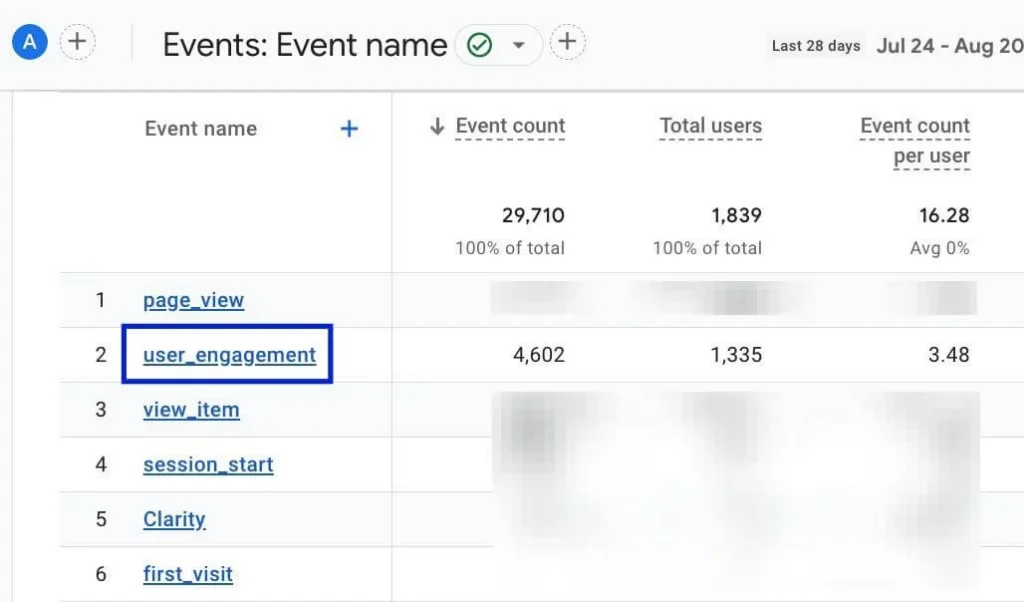
You can find engagement data in GA4 through the Engagement reports. These reports show how users interact with your website. They help you analyze content performance and user behavior.
To view this data, go to Reports → Engagement in GA4. Here you will see reports like Events, Pages, screens, and Landing pages. These sections show engagement metrics like engagement rate and time.
You can also customize reports for deeper insights. Compare pages and identify which content performs best. This helps you improve user experience and increase engagement.
Why User Engagement Matters
User engagement shows how valuable your content is in Google Analytics 4. It helps you understand whether users are interacting with your site or leaving quickly. High engagement means users find your content useful. Low engagement shows that improvements are needed.
Engagement also impacts your overall performance and SEO. When users spend more time and interact more, it signals a better user experience. This helps you identify strong and weak pages. You can use this data to improve content, design, and strategy.
How to Improve User Engagement in Google Analytics 4
Improving user engagement helps you increase interaction and retention. When users stay longer and take actions, your performance improves. You need to focus on content quality and user experience. Start by creating high-quality and relevant content. Make your content easy to read and useful for users. Use clear headings and simple language to keep users engaged.
Add internal links to guide users to other pages. This increases page views and session time. It also helps users explore more content on your site. Improving engagement becomes even more effective when you bring targeted users through strategies like a Google Ads search campaign. Improve your website design and speed. A fast and clean site keeps users engaged. Make sure your site is mobile-friendly and easy to navigate.
Common Mistakes to Avoid
Many users misunderstand engagement data in Google Analytics 4. They look at metrics but do not analyze them properly. This leads to wrong decisions and poor optimization. You need to use engagement data correctly.
Ignoring Engagement Metrics
Focusing only on traffic and ignoring engagement gives incomplete insights. Always check engagement rate and time.
Misinterpreting Engagement Rate
A high or low engagement rate without context can be misleading. Always compare it with the content type and goals.
Not Tracking Important Events
If key actions are not tracked, engagement data becomes inaccurate. Make sure important events are set correctly.
Ignoring User Experience
Poor design and slow speed reduce engagement. Always optimize your website for a better user experience.
Not Using Data for Improvement
Some users collect data but do not act on it. Use insights to improve content and strategy.
Conclusion
User engagement in Google Analytics 4 helps you understand how users interact with your content. It shows whether your website provides value and keeps users interested. This makes it an important metric for performance analysis. It also helps you identify areas for improvement.
Focus on improving content, user experience, and site performance. Track key engagement metrics regularly and analyze user behavior. Use insights to optimize your strategy and increase interaction. This approach helps you grow your website effectively.